
Cheap shared subscription to Envato Elements
Looking for EnvatoElements cheap without getting scammed along the way? You can really save, but you need to know where to look. And if you also want shared accounts from other services, with real sellers and support if something goes wrong.
Cheap Envato Elements: how to pay less safely
A $60 WordPress template, a $30 song, a mockup pack you used once and never again. Adding all that up, you can see why many are tempted by Envato Elements: for a monthly fee you can download everything you need.
The problem is the official price is expensive, and the internet is full of strange offers that promise the same for much less. That’s exactly what this article is about: how to pay less without it costing you more in the end.
Can you get Envato Elements cheaply and legitimately?
Short answer: yes. If you work weekly with videos, campaigns, or social media, the official subscription usually pays off, because you pay once and get templates, photos, music and videos without buying each item separately. But if you only need a one-off template, it's better to buy it individually on Envato Market and skip the fee.
- That said, these are the honest ways to lower the price.
- If you meet the requirements, apply the student discount.
- Choose the plan that covers only what you will actually use.
- Subscribe for the whole year only if you will be working all year.
- Activate the plan during busy periods and cancel it when it's no longer useful.
- Buy single assets on Envato Market when your needs are occasional.
- Use specialized libraries or free resources with clear licenses.
The key: a cheap access only helps if you control the account, register your assets and keep license proof. If not, you haven't saved money: you've bought yourself a mess.
What is Envato Elements and how does it work?
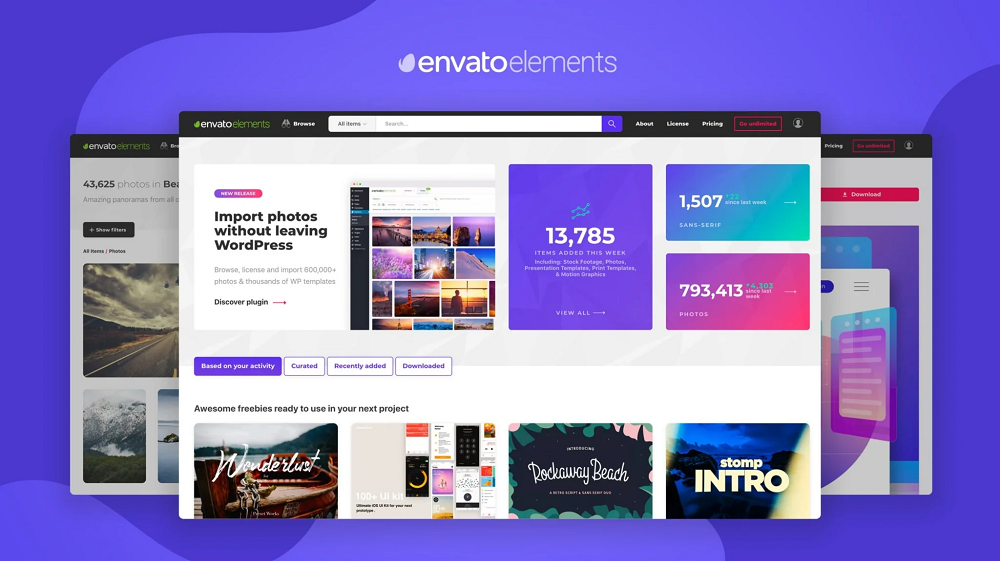
Think of Envato Elements as the Netflix of creative assets. You pay a monthly fee and download what you want, within the limits of your plan. The step many skip is this: each asset you download must be registered to a specific project. That registration is what legally protects you when you use the asset in client work.
And beware, because everyone gets confused here: catalog access is not the same as a license. The subscription lets you download; the license lets you use it. Downloading a template is not enough: you must register it for your project.
Assets included in the subscription
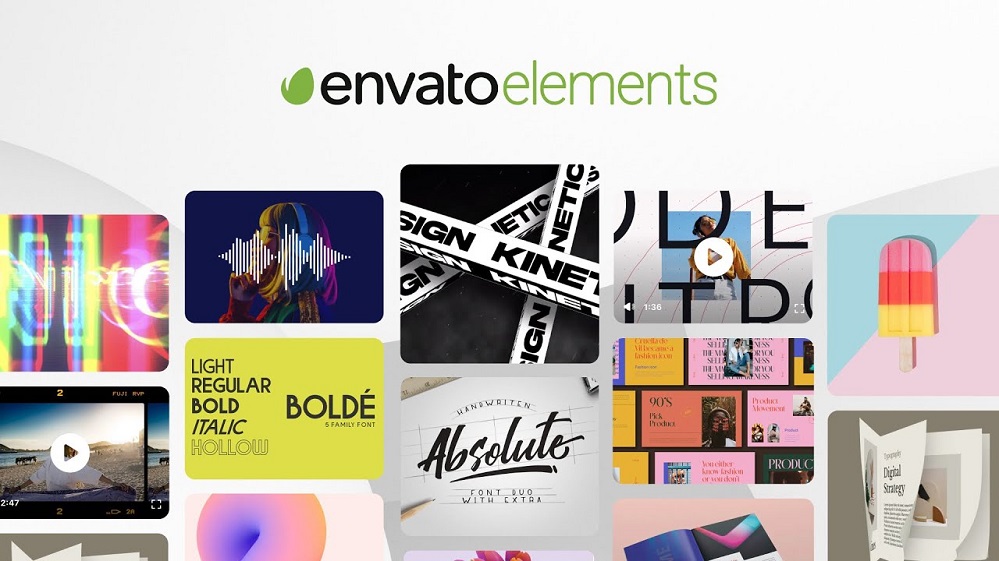
- Stock photos and videos, backgrounds and motion graphics.
- Royalty-free music and sound effects, according to the platform's terms.
- Templates for Premiere Pro, After Effects, DaVinci Resolve and other editors.
- Illustrations, icons, mockups, fonts and graphic files.
- Presentations, documents and social creatives.
- Web kits, WordPress templates and Elementor templates.
- 3D assets and Envato AI tools, depending on the plan and its limits.
One tip before paying: just because an asset is pretty doesn't mean it works for you. If it doesn't match your software or style, it's wasted money. Browse the EnvatoElements catalog carefully before deciding.
Envato Elements vs Envato Market
The difference is simple: Elements is subscription and Market is single purchase. ThemeForest, CodeCanyon and AudioJungle belong to the second world, where you buy a theme, a plugin or a song for a specific need.
Criterion | EnvatoElements | EnvatoMarket |
|---|---|---|
Payment model | Subscription | Pay per asset |
Best for | Frequent work and varied projects | Occasional needs |
Downloads | Included according to plan | Each item is paid |
License | Register the asset per project | Depends on the purchased license |
Typical use | Campaigns, video, design and socials | A specific theme, plugin or template |
Do you make several videos a month? Elements fits you. Do you only need a specific plugin? Buy it individually on CodeCanyon and save the subscription.
Envato Elements pricing: what truly affects the cost
The price varies by country, currency, taxes, plan and whether you pay monthly or yearly. Therefore, don't trust any guide that gives exact figures: the only reliable source is the official Envato Elements prices just before purchase. Also check the boring details: the final currency, taxes, auto-renewal and cancellation method. Those are money too.
Core, Plus and Ultimate: what changes the real cost
Just because a plan is called "Ultimate" doesn't mean it's for you. It's only worth it if you'll truly use what it includes. Check this before choosing:
- The assets and categories included in each plan.
- Whether there are limits on downloads, uses or generations.
- What each of Envato's AI features includes.
- Billing and renewal conditions.
- Support and account management options.
If you make two videos a month, you don't need the same as an agency with ten clients. Spending on things you don't use is not saving: it's a cost with another name.
Monthly or annual payment: do the math first
The annual plan reduces the monthly price, that's true, but it commits you for the whole year. If your work is concentrated in two or three months, monthly payment is better. Calculate like this:
Plan cost / projects you'll do = cost per use
Compare it with what you'd pay buying items separately. The calculation doesn't need to be exact: it only helps determine whether the subscription matches real usage or plans that never materialize.
Student discount
Studying design, marketing, communication or something audiovisual? There's a 30% discount on the Core plan for verified students. Note: verification is required and conditions may change, so check Envato's official site. A university email alone is not enough; complete the verification process and pay attention to what happens at renewal.
Envato Teams for agencies and teams
Giving your password to the whole team and sharing a user is not a team plan, it's a mess. Envato Teams is designed so multiple people can work orderly, each with their own access, and so you can revoke access when someone leaves without hassle. Also, knowing who downloaded what saves your life when a client asks about licenses.
Safe ways to pay less for Envato Elements
The subscription is justified when there's weekly work and you need different things: today a font, tomorrow a mockup, the day after a clip. Searching, comparing and buying each asset separately also takes time, and time is money. Fine: if you do one piece a year, don't hesitate. Buy it individually or use a specialized library, and that's it.
Subscribe only when you have recurring work
- Video creator: clips, music, templates and effects for frequent publishing.
- Freelance designer: mockups, fonts, icons and presentations for various clients.
- Web developer: kits and templates for prototypes and simple sites.
- Agency: varied assets for campaigns, ads and landing pages.
And if you use AI tools daily, you can lower that expense too: on CuentasGO there are offers for ChatGPT Plus from sellers rated by the community.
Free assets and one-off purchases
There is no such thing as "Envato Elements free." There are free individual assets, but they have their own terms you should read before using them in serious work. If you need a photo, clip or template only once, try Envato Market, Creative Market or a specialized library.
Third-party cheap access offers: warning signs
The internet is full of laughably cheap access to Envato Elements: shared accounts, strange "activations" or an intermediary that provides downloads. Cheap doesn't mean fake, but it also doesn't guarantee you have a real subscription or that you can register assets for client work.
Before paying a third party, check for the following:
What to check | Why it matters |
|---|---|
Account ownership | Shows who controls access and with what authorization |
Individual or shared account | Shared credentials reduce security and control |
Project registration | Lets you document the use of each asset |
Invoice and service issuer | Clarifies what you bought and who is responsible if it fails |
Download or category limits | So you don't get surprises after paying |
Support for incidents | Defines what happens if access is blocked |
License explanation | If the answer is vague, it's a bad sign |
And ask the seller directly: Who is the account owner? Do you have exclusive access or do you share credentials? How is each asset registered? What invoice will you provide? Are there usage limits? Who helps if something fails?
If the seller goes crazy with any of these answers, you have your answer: that option is not for you, especially if you work for clients. You don't need proof it's a scam to know the risk isn't worth it.
The license: the part nobody checks and that matters most
The license works like this: before using an asset in the final output, you register it to a project. With that registration you can use it in personal or commercial work within the platform's conditions. Quick example: a template registered for a real estate campaign only applies to that campaign. Want to reuse it for another client? You must register it again.
Always check the documentation in the client files: asset name, download date, assigned project and receipt. And beware of special cases: fonts, paid advertising, apps or physical products may have different rules. If in doubt, consult Envato's current terms before publishing anything.
What happens when you reuse an asset
Using the same file in two projects does not mean one license covers everything. If you work with multiple brands, keep a license folder per client. It will save you from having to reconstruct from memory which asset you used in each campaign months later.
What happens when you cancel Envato Elements
If you cancel, projects you licensed correctly while the subscription was active are not deleted. What happens is that, once canceled, you can no longer download or register anything new. Before leaving, save receipts and close any open projects. And another thing: downloading a thousand files on the last day does not give you the right to use them afterward as you please.
Who is Envato Elements worth it for?
Profile | When it can make sense | When to look for another option |
|---|---|---|
Freelancers and designers | Several projects per month and varied assets | A single asset or few commissions per year |
Video creators | Frequent use of clips, music and templates | Need for a very specific track or clip |
Agencies | Recurring production and multiple clients | Small team without stable volume |
WordPress/Elementor users | Prototypes and simple sites using the catalog | A technical project that requires specific support |
Students | Frequent creative work and applicable discount | Occasional use without subscription |
About WordPress and Elementor: kits help build sites fast, especially with tight deadlines. But don't install anything without checking compatibility, documentation, updates and performance. On a client's site, this is non-negotiable.
Alternatives to Envato Elements by asset type
Main need | Platform that may fit | When it makes sense |
|---|---|---|
Photos and videos integrated with Adobe | Adobe Stock | If you work daily with Adobe programs |
Specialized image and clip bank | Shutterstock | If you prioritize audiovisual material |
Vectors, graphics and visual templates | Freepik | For graphic design and illustration |
Fonts and items with unique style | CreativeMarket | For individual purchases |
Themes, plugins and specific web assets | EnvatoMarket | If you don't need a continuous subscription |
Fast creation and collaboration | Canva | For communications pieces and teams |
Specific web projects | MonsterONE | If the catalog fits your technical environment |
Do you work all day with Photoshop and Illustrator? Adobe Stock will be more convenient. Need a specific font? CreativeMarket is better than a subscription. And if budget is tight, combine these options with shared productivity subscriptions like Microsoft 365 or editing tools like CapCut, which are considerably cheaper on CuentasGO.
Final checklist before subscribing
- Confirm plan, currency, taxes and whether you pay monthly or yearly.
- Check that the catalog covers the assets and programs you use.
- Compare the subscription cost with buying items individually according to your projects.
- Verify the student discount, if applicable, and the limits of the AI tools.
- Use your own account or an authorized Teams plan, and save the license record for each project.
Save on your other subscriptions with CuentasGO
As you've seen, with EnvatoElements real savings come from choosing the right plan, not buying strange access in forums. The same applies to your other digital subscriptions. On CuentasGO you can find premium streaming, AI and productivity accounts at reduced prices, with advantages an anonymous seller will never give you:
- Verified accounts, posted by sellers with real reviews from other buyers.
- Claims system: If something fails, after reviewing your case you can recover your money as platform credit.
- 100% secure payments within the platform.
- Offer comparator to find the best price among thousands of sellers.
- More than 10,000 users already save by sharing subscriptions.
Don't keep overpaying for every service: check what CuentasGO offers and start saving today.
