
Cheap shared subscription to Nintendo Online
Playing online on Nintendo Switch shouldn’t mean paying more than necessary. At CuentasGO you can get your Nintendo Switch Online subscription and Expansion Pack with significant savings compared to the official price, while keeping access to online multiplayer, cloud saves, a catalog of classic games and exclusive benefits.
Cheap Nintendo Switch Online: how to choose the subscription that suits you best
Finding a cheap Nintendo Switch Online subscription is possible with CuentasGO’s shared subscriptions. That said, a code can look like a great deal but actually belong to another region, have a different duration than expected or include content you won’t use. That’s how an economical purchase can end up costing you more.
Before deciding, it’s worth answering three simple questions: how many accounts will use the service, how long you need it, and whether you will actually use the retro games and DLC from the Expansion Pack.
Which Nintendo Switch Online subscriptions you can buy
Nintendo Switch Online is Nintendo’s subscription service for Switch and is perfect to get started with cheap online games. It allows online play in compatible titles and includes additional features and classic games, although the catalog can change over time.
There are three main options: individual subscription, family subscription and Nintendo Switch Online + Expansion Pack. The price depends on duration, region, store and available promotions, so it’s worth comparing equivalent products before deciding how much Nintendo Switch Online costs.
Individual, family and Expansion Pack subscriptions
For a single Nintendo account, the individual subscription is usually the most straightforward option. It includes online play for compatible games and the basic classic catalog, with no need to create or manage a family group.
The family subscription, on the other hand, allows multiple members of a Nintendo family group to use the service from their own accounts. It can be worthwhile if several people participate, but the Nintendo Switch Online family price is hardly worth it for a single user.
The Expansion Pack is available for both individual and family plans. It costs more because it expands the retro catalog and includes certain downloadable content. It only makes sense if those extras will be used.
Common durations: 3 months and 12 months
Digital code stores often offer Nintendo Switch Online 3 months and Nintendo Switch Online 12 months. Nintendo eShop may show other periods, but these two durations are the most common.
The annual plan usually lowers the cost per month. Three months, on the other hand, can fit better if you only need online play for a season or prefer to try the service before keeping it active year-round.
Before paying, check these details on the product page:
• The mode: individual, family or with Expansion Pack.
• The exact duration of the subscription.
• The region where it can be redeemed.
• Whether the code activates a new subscription or extends an existing one.
Differences between Nintendo Switch Online and the Expansion Pack
You don’t need to subscribe to the Nintendo Switch Online Expansion Pack to play online. The standard mode already grants access to that feature in compatible titles. The expansion is aimed at those who want more classic consoles and selected DLC. Additionally, you can complement it with PlayStation Plus and XBOX Game Pass subscriptions.
Feature | Nintendo Switch Online | Nintendo Switch Online + Expansion Pack |
|---|---|---|
Online play in compatible titles | Yes | Yes |
NES and SNES games | Yes | Yes |
Nintendo 64 games | No | Yes |
Game Boy Advance games | No | Yes |
SEGA Mega Drive games | No | Yes |
Selected DLC | No | Yes, while the subscription is active |
Individual and family plans | Yes | Yes |
What the standard subscription includes
The basic version brings together online play for Switch and a classic catalog of NES and SNES. For those who primarily use the console for multiplayer sessions with friends, it usually covers what’s needed.
Terms may vary depending on the account, region or an already active subscription. You can check the official terms of Nintendo Switch Online subscriptions before subscribing or changing your plan.
What Nintendo Switch Online + Expansion Pack adds
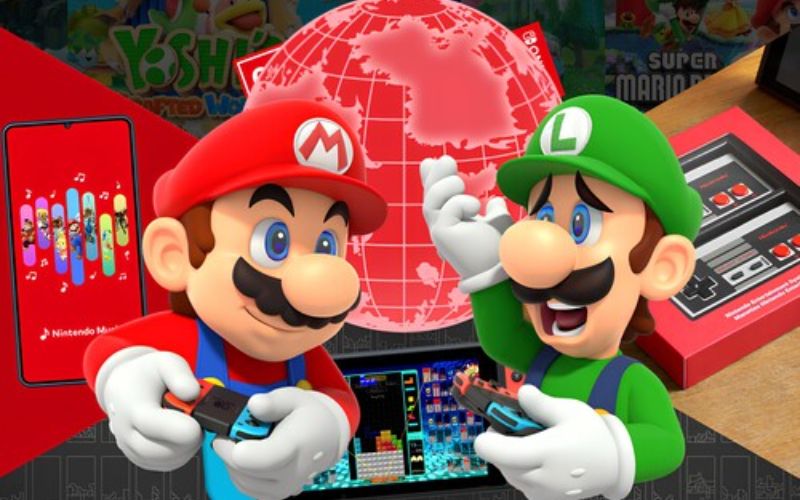
Nintendo Switch Online + Expansion Pack, also called Nintendo Switch Online Expansion Pack, includes titles from Nintendo 64, Game Boy Advance and SEGA Mega Drive. Among them are Super Mario 64, The Legend of Zelda: Ocarina of Time, Super Mario Advance 4: Super Mario Bros. 3, The Legend of Zelda: The Minish Cap and Sonic The Hedgehog 2.
It also includes content such as Mario Kart 8 Deluxe – Booster Course Pass, Animal Crossing: New Horizons – Happy Home Paradise and Splatoon 2: Octo Expansion. These can be used while the subscription remains active; they do not represent a permanent purchase of those DLCs.
Which cheap Nintendo Switch Online is suitable in each case
The lowest price is not always the best purchase. A family plan can be cost-effective among multiple accounts, while the Expansion Pack only makes sense if you take advantage of its additional content.
- For one person and the lowest cost: The individual standard subscription is usually the best starting point. Compare the three-month price with the Nintendo Switch Online 12-month price and calculate how long you want to keep the service active.
- For multiple accounts in a family group: When several people use their own Nintendo accounts, the family mode allows splitting the cost. All users must be part of the family group, so it’s best to be clear about who will participate before subscribing.
- For retro games and downloadable content: Choose the Expansion Pack if you’re interested in its classic consoles or included DLC. It doesn’t improve online connectivity or add special multiplayer advantages in compatible games.
How to find Nintendo Switch Online deals safely
Nintendo Switch Online deals are usually sold as digital codes. Before buying, review the product and its description: when a code has already been delivered or shown, the return conditions may differ from those of a physical item.
Check the code’s region
Region is one of the most important details. Look for clear references like “Spain”, “Europe” or “Nintendo eShop Europe”. The terms of a Nintendo eShop Europe code may differ from one intended for the United States, Japan or Latin America.
The account must be compatible with the indicated territory. If an offer is defined as “global” but doesn’t clarify where it can be redeemed, it’s better to discard it. A Nintendo eShop Spain configured for the European region needs codes valid for that region.
Review the product before paying
Don’t rely solely on the displayed price. Confirm that the product page clearly answers these questions:
• Is it an individual, family or Expansion Pack Nintendo Switch Online subscription?
• Does the code last three months, twelve months or another period?
• Is it a digital code?
• For which region is it intended?
• What is the final price and what happens if there’s a problem with redemption?
• If it’s a promotion, how long is it valid?
How to redeem the code and manage automatic renewal
When you have the code, compare the information Nintendo shows with the product page. If the duration, region or mode do not match, stop the process and contact the seller before activating it.
To redeem the Nintendo Switch Online code, the process is similar from Nintendo eShop and from the code redemption area on Nintendo’s website:
1. Sign in with the Nintendo account that will use the subscription.
2. Go to Nintendo eShop or the code redemption section.
3. Choose the option to enter a download code.
4. Enter it exactly as shown.
5. Review the information displayed on the screen.
6. Confirm only if it matches the purchase.
After redemption, check in the account settings that the subscription is listed as active.
How to turn off automatic renewal
Automatic renewal can be activated when buying or redeeming the service. If you prefer to decide each renewal separately, turn it off from the subscription settings of your Nintendo account.
Disabling this option does not remove the time you have already purchased. You can continue using the service until the expiration date, but an automatic charge will not be made at the end of the period.
Why buy Nintendo Switch Online at CuentasGO?
Because most people’s doubts are the same… and here we answer them directly:
- Do I really save money? Yes. The official price is higher. At CuentasGO you pay less for the same access, with discounts that can reach up to 60%.
- Will it be complicated to activate? No. The process is quick and clear. In most cases you receive instructions and are playing the same day.
- What if I have a problem? You have real support before and after the purchase. You’re not left alone once you pay.
- Will I be charged renewals without warning? No. There are no automatic renewals or hidden costs here. You decide when to renew.
Keep in mind that the accounts we offer are shared accesses to an active Nintendo Switch Online (or Expansion Pack) subscription.
You receive the access details or we add you to a family plan, so you can use the full service (online, cloud saves and classic games) at a much lower price than buying it individually at the official rate.
Frequently asked questions
Can I redeem a code from another region in Spain?
A code from another region may show a lower Nintendo Online price, but it stops being a deal if it cannot be activated on your account.
