
Cheap shared subscription to McAfee Premium
Tired of overpaying for your antivirus? McAfee Premium is one of the most complete protections on the market… and now you can have it much cheaper than you think with our shared subscriptions. Total security without emptying your wallet.
Cheap McAfee Premium: how to choose a safe license
Looking for cheap McAfee Premium is common nowadays. The official subscription has a cost, and many people hesitate to pay full price when they know they can find deals. It makes sense: paying more doesn’t give you better protection, it just costs you more.
That said, findinga good dealamong so manypromotions, marketplaces and informal distributors is not as easy as it seems. Anyone who has bought on impulse will tell you that two licenses that cost the same can be worlds apart. One covers four devices and the other only one; one lasts two years and the other expires in twelve months; one renews at the same price and the other charges you double.
And here’s the important part: a cheap license for a single PC won’t protect your phone, Mac, or the kids’ tablet.
In this guide we quickly tell you what to check before buying, what each plan actually includes, and how to tell a serious offer from one that only looks serious. In the end you’ll pay for the protection you need, no more, no less.

Cheap McAfee Premium: what to check before buying
First, before looking at a single price: think about how you will use the license. How many devices do you have, which operating systems do they use, do you travel a lot or does everything stay at home. That’s what makes them different.
Yes, the initial price matters, but it’s not the only or the most important thing. Also consider the number of included devices, the country where the key can be activated, and above all what it will cost you next year. That last point is what almost everyone forgets.
A proper product page answers these questions without forcing you to dig through the general terms. If it doesn’t tell you which edition you’re buying, how long the license lasts, or how you receive it, that attractive discount starts to look suspicious.
Edition, duration and included devices
You’ll recognize this: you’re going to buy McAfee, you see McAfee+ Premium Individual, McAfee Total Protection, McAfee LiveSafe, McAfee Internet Security... and it seems like everything is the same. It’s not. They are different products with different coverages, even though the names are similar enough to confuse. There are current lines and others that keep showing up in promotions and old catalogs only because someone still has stock.
Also check when the time starts counting. It can be a one-year subscription that begins when you redeem the code, a multi-year license, or a renewal of something you already had. If that detail isn’t clear before paying, ask for clarification or look for another store.
And the number of devices... It’s the detail that has ruined the most well-intentioned purchases. Some versions of McAfee+ Premium Individual boast unlimited devices, others with almost the same name cover one, three, five, or ten devices. Note: “unlimited” does not mean everything works the same on all systems.

Check compatibility with:
- Windows computers.
- Mac computers.
- Android phones.
- iPhone and iPad.
- Compatible tablets.
That a subscription supports multiple devices doesn’t mean it treats them equally. The protection on your PC doesn’t have to be the same as on your phone, nor will the same features be available on both.
Promotional price and renewal cost
The upfront price is useful for comparison; that’s not in dispute. But it doesn’t tell you what you’ll pay when the first period ends. And this is the trick that annoys most: that attractive discount may apply only to the first year.
With automatic renewal, when your license is about to expire, protection continues and the payment is charged to your associated payment method. It is convenient. You don’t have to watch the date or be unprotected for a day. But it’s wise to know how much they will charge you, when they will do it, and how to cancel if you’re not interested. Note that the debit could occur before the exact expiration date.
If the offer doesn’t show the renewal price, or refers you to vague terms, resolve it before hitting the buy button. The renewal rate can be quite different from the promotional one, and finding out afterwards is never pleasant.
What McAfee+ Premium Individual includes
When you have multiple devices, it’s logical to want a package that includes antivirus, browsing protection, and some privacy tools. McAfee+ Premium Individual usually combines those functions, but its real scope depends on the country, the operating system, and the specific license each store sells.
And a warning: don’t trust the word premium. If you’re interested in the VPN, password manager, or identity monitoring, look for them explicitly in the offer description. The fact that they appear on McAfee’s general page doesn’t mean they’re in your license.
Antivirus and protection against online threats
The antivirus does what you expect: detect and block malware, suspicious files, and unwanted programs. Safe browsing tools warn you when a page smells like fraud, when a link is phishing, or when a download threatens your passwords and banking data.
That said, no antivirus protects you from everything. If you use a password that’s already been leaked, install software from a sketchy site, or give a verification code to a scammer, you’ll be in trouble whether protection is active or not. Antivirus is a layer, not magic protection.
A perfect example is SMS that imitate delivery companies. Web protection can alert you that the link’s page is dangerous, but if the message asks for payment details urgently, you should verify yourself: open the official app or website. Never follow the received link.
VPN and password manager
Do you use hotel, station, or café Wi‑Fi? There the VPN justifies itself: it encrypts the connection between your device and the service, making it much harder for someone on the same network to capture your traffic.
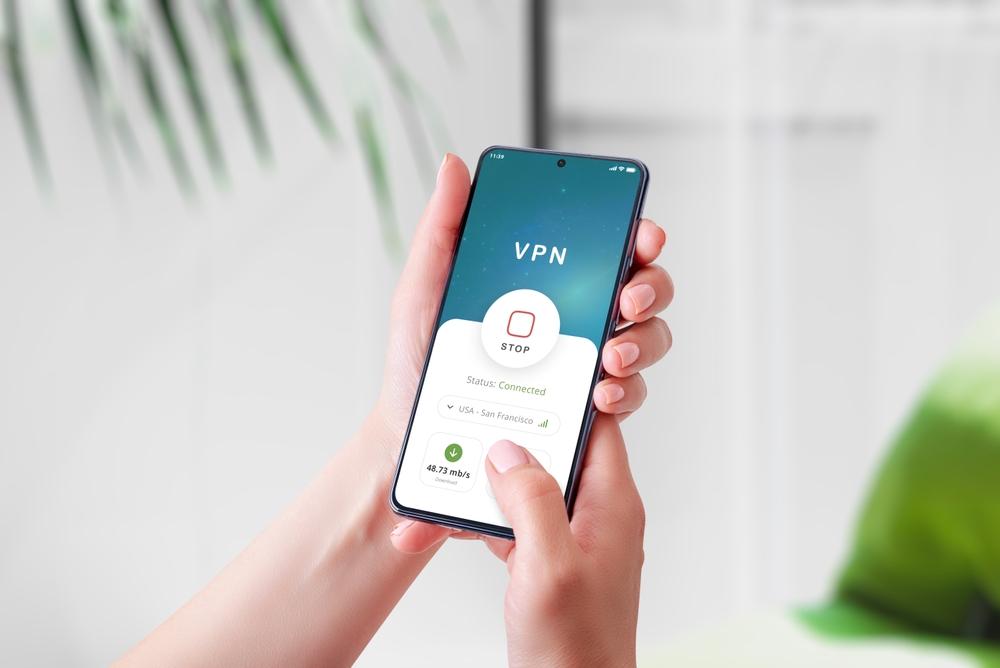
That said, let’s be honest: a VPN doesn’t make you invisible nor replace anything else. The accounts where you log in, the apps you use, and what you share remain your responsibility. Also check usage limits and which devices it works on, because it’s not always the same everywhere.
The password manager is another story and likely the tool you’ll appreciate most daily. It stores a different password for each account so that if one gets leaked, the rest aren’t compromised. Important detail: these tools aren’t included in all versions and don’t work the same on Windows, macOS, Android, and iOS. Have the license page confirm this.
Identity and privacy protection
Depending on the offer, you may find identity monitoring, SMS fraud detection, personal data checks, or privacy settings for social networks. These are useful for watching your digital footprint, especially if you live across many online services, but they must be written in the license. If they’re not listed, they don’t exist.
Before choosing a plan, review this:
- Whether McAfee identity protection is available in Spain.
- Which data or leaks the service can monitor.
- If the SMS fraud detector works on your phone.
- Whether it includes social media privacy tools.
- What limits the analysis or removal of personal data has.
And keep expectations realistic: these features notify you and give you time to react, but they can’t erase what’s already circulating online nor prevent future leaks.
Comparison of McAfee plans
McAfee’s catalog is a good example of how not to be clear: it mixes recent products with names that have been on the market for years. Therefore, more than focusing on the commercial name, start from your devices and what you will actually use. The name matters less.
Plan or family | Who it may suit | Devices to confirm | Features to check |
|---|---|---|---|
McAfee+ Premium Individual | One person with several compatible devices | In some offers, unlimited | Antivirus, VPN, privacy, identity and passwords |
McAfee+ Advanced Individual | Users interested in extra privacy and identity features | Depends on the license | Scope of identity protection, VPN and additional services |
McAfee Total Protection | Households seeking traditional antivirus protection | One or several devices | Web protection, password manager, VPN and number of devices |
McAfee LiveSafe | Users who find it preinstalled or in stores | Depends on the product | Current coverage, compatible systems and renewal |
McAfee Internet Security | Basic security needs | Usually limited by license | Antivirus, safe browsing and compatibility |
McAfee AntiVirus Plus or Mobile Security | A single PC or a mobile device | Usually more limited | Compatibility with Windows, macOS, Android or iOS |
The table guides you, but the final word is the product page. A store can sell an older edition, an exclusive promotion, or a license with different coverage than the name suggests. We’ve seen it with other brands, and it’s the same with McAfee.
McAfee+ Premium Individual and Advanced Individual
Premium or Advanced? The difference isn’t the name but the features each specific offer provides. Seeing “Advanced” doesn’t tell you which services are added in that particular store.
Compare identity protection, VPN availability, the password manager, and allowed devices. If you’re unsure between different durations, do the math: divide the total price by the years and compare. A subscription for two or three yearsweighsmoreonyourwallet today, butusuallyworksoutcheaper per year. However, if you only need to protect one computer and one phone, you might not need such a large plan.
McAfee Total Protection, LiveSafe and Internet Security
Total Protection, LiveSafe, Internet Security… still appear in searches, marketplaces and software stores. Their coverage varies by product generation, sales channel and authorized devices, so two licenses with the same name may not be identical.
A Total Protection for ten devices for fifteen months can be ideal for a home with several computers and phones. That doesn’t make it equivalent to an annual McAfee+ Premium Individual, which may have different privacy or identity features.
To compare them without getting lost, keep four data points in mind:
1. Compatible operating systems.
2. Number of permitted devices.
3. Included tools.
4. Renewal conditions.
The name situates you; the license details tell you if it suits you.
How to spot a convenient McAfee offer
Buying digital licenses has pros and cons. The good: you can find antivirus deals at a good price in a couple of clicks. The bad: you need to be more careful than with an ordinary purchase, because immediate delivery or an attractive discount don’t guarantee anything by themselves.
Look for offers that clearly indicate which product it is, who sells the license, and how you will receive it. If there are no legal details, if the terms are written to be confusing, or if the edition doesn’t appear anywhere, keep comparing. There are more options available.
Signs of trust in a digital distributor
How do you spot a serious seller? They show contact details, sales terms and delivery method before asking for money. They also explain what happens if the code fails and where to find support.
The invoice or purchase receipt matters a lot for a digital license. And watch refunds: they may have specific small print when the code has already been delivered or activated, so read them before completing the purchase, not after.
A known payment method and a secure connection add confidence, but don’t rely only on the browser padlock. That padlock only means the communication is encrypted; it doesn’t certify that the seller is reliable or that the key works.
What to avoid: products without an identified edition, improbable prices without explanation, and pages that want you to download the installer from their server. Normally you activate the subscription and obtain the download from your account or the official channel.
What the product page should state
Some details decide the purchase and others are secondary. The key ones should be visible without digging through general conditions:
- Exact product name and edition.
- Duration and start date of coverage.
- Number of included devices.
- Compatibility with Windows, macOS, Android and iOS.
- Country or territory where the key can be activated.
- Type of delivery: code, redemption link or account access.
- Final price with taxes and any additional fees.
- Information about automatic renewal.
- Cancellation terms and support.
- Invoice or proof of purchase.
When evaluating McAfee Premium offers, think about the whole contracted period, not just today. Sometimes a slightly more expensive license wins out: it covers all your devices and saves you from buying another for your phone or Mac.
Purchase, activation, download and installation of McAfee
The good thing about digital licenses is you don’t wait for a shipper: you pay and, in minutes, you can be protected. The process varies by vendor and product, but almost always follows the same path: receive the key, link it to an account and download the installer.
Receive and keep the activation code
Once paid, the seller usually sends you an email with the invoice, the activation code, or instructions to redeem it. Some stores place it in your private area; others give you an activation link directly.

Keep that email and the payment receipt. If you need help later, they will need your order number, the email you used and some purchase reference.
And apply the usual skepticism to payment emails: check that the sender is the store where you bought and don’t download unexpected attachments. There are fake emails that pretend to be digital deliveries to slip malware in. It may look like a legitimate delivery, but it isn’t.
Link the subscription to McAfee My Account
The next step is to sign in to McAfee My Account or create one if you don’t have it. Use an email you actually check and a password you don’t reuse anywhere else: from there you manage the subscription and associated devices.
Depending on the offer, you’ll need to enter the code, follow a redemption link, or confirm activation from the received message. When finished, verify that the correct product and the expected expiration date appear, along with the number of devices and the renewal status. If something doesn’t match the purchase page, contact the seller before installing anything.
Download and install the antivirus
With the subscription linked, download McAfee from your account or the official channel indicated at activation. Don’t look for installers on forums, download sites, or unsolicited emails, even if the file name looks familiar.
The step-by-step process:
- Sign in and locate the active subscription.
- Choose the device you want to protect.
- Download the installer compatible with that system.
- Review minimum requirements and close apps that may interfere.
- If it detects another incompatible antivirus, follow the instructions to avoid conflicts.
- Complete the installation and sign in if requested.
- Run an initial scan and confirm protection is active.
Want to add more devices? Sign in to the same account from each device and follow your subscription’s method. And a golden rule: don’t share the code via messaging or show it in screenshots. Some people redeem others’ keys.
Automatic renewal: what to check
Automatic renewal exists so you’re never unprotected: when the period ends, the subscription extends automatically and charges the linked payment method.
The key detail is the cost of the next year for you. It may differ from the promotional price, and the charge can be made before the expiration date. Check account notices and information with time, not after it’s already charged.
And check where you bought it. McAfee isn’t managed the same if bought directly as if bought from a distributor: billing, cancellation and support may go through different channels, and knowing who to ask is usually the first step to solve a problem.
If you want to renew or cancel
When you activate the product, note the end date. Not in a note that gets lost: in the calendar with a reminder a few weeks before. That way you decide calmly whether to keep the plan, change product, or look for another offer.
The four details to review:
- The price communicated for the next year.
- The linked payment method.
- The channel from which the subscription is managed.
- The deadlines and cancellation procedure.
Cancel automatic renewal? The protection you already paid for doesn’t disappear immediately: normally the next charge is prevented and coverage continues until the current period ends. Keep confirmation of your request and, a few days later, check that the subscription status is as expected.
Find cheap McAfee Premium and other security solutions on CuentasGO
You now know what to check before buying: edition, duration, devices and renewal. Now you just need where, and there CuentasGO can save you a good chunk.
Theplatform is dedicated to shared subscriptions of premium software. The idea is straightforward: you use the same paid versions of security services but pay a fraction of the official price thanks to a well-managed shared account model.
Benefits when buying there:
- Real savings compared to the list price, with promotions throughout the year, not only on specific dates.
- Fast delivery: your access details arrive by email or to your user area in minutes.
- Responsive support: if something fails, the CuentasGO team assists you or applies the guarantee. You won’t be left without access or out of pocket.
- Variety of brands: in addition to McAfee, you have other premium security options to choose from according to your needs.
For example, if besides antivirus you want to browse with more privacy, you can complement protection with cheap NordVPN on CuentasGO, one of the most complete and audited VPNs available. And if you prefer to compare antivirus? cheap Bitdefender on CuentasGO is another solid choice: real-time scanning, integrated VPN and cross-platform protection.
Protecting your devices shouldn’t be a luxury reserved for a few. Getting your cheap McAfee Premium on a platform like CuentasGO lets you cover everything without your bank account noticing.
