
Cheap shared subscription to Hola VPN
Do you use a VPN to change location and get more from your streaming platforms? Hola VPN can help you, if what you want is to really save on entertainment, startsharing subscriptions for Netflix, Disney+, HBO Max and many more: verified, stable accounts with fast replacement.
Cheap Hola VPN: price, security and alternatives
You have probably heard of Hola VPN. It has been installed on mobiles and computers for years, boasts a free version and promises to change your location in minutes. Sounds good until you realize that free almost never means entirely free.
Hola VPN does not work like traditional VPNs; its terms vary depending on where you install it and it does not offer the same privacy guarantees as paid services. In this guide we explain the real cost of Hola VPN Premium, what the free version includes, what happens to your data when you use it and when you should look for an alternative.
Is Hola VPN cheap and worth it?
If you only want to open a public website from another country for a few minutes, Hola VPN does the job. The free version lets you test changing location without paying, and the Premium version extends usage time and removes some limits.
But if you need stability for remote work, access to sensitive accounts, or to maintain a private connection with serious controls, things change. Changing the IP does not hide everything you do on the device: how the service is configured, what it does with your data and which features it offers on each platform also matter.
Hola VPN works well for occasional location uses. It falls short for privacy, stability or control over your data.
Free Hola VPN vs Hola VPN Premium
Note: the conditions of each version change depending on country, device and where you purchase it. an offer you see on Android may not exist on iPhone, Windows or the Chrome extension.
Aspect | Hola VPN free | Hola VPN Premium |
|---|---|---|
Available use | Daily free time, limited sessions or restrictions | Broader access; confirm whether it is unlimited |
Bandwidth | May be limited, slow or unreliable depending on the time | Check fair use terms |
Locations | Countries available in the app or extension | Additional locations and country changes |
Devices | Check if it allows using an account on multiple devices | Number of simultaneous devices included |
Ads | With ads and promotions | Check if ads are removed and what is added |
Support | Basic help | Priority support, if offered |
Renewal | Not applicable | Periodicity, later price and auto-renewal |
Cancellation | Remove the account or permissions | Cancellation is handled where the purchase was made |
What the free version may include
The free version is meant for occasional use. Hola reports free daily time on some platforms, but that varies with updates, campaigns and the region you connect from. On the subscription screen you can see time limits, available countries, ads and speed limitations.
If you have Android, before installing check the Hola VPN listing on Google Play: there you can see who publishes the app and the data security information. It's safer to download from the official store than to get files from unknown sites.
And an important detail: the Chrome extension only covers browser traffic. Other apps on your computer or phone are excluded.
What to check in Hola VPN Premium: price, discounts and renewal
Almost all VPNs use this trick: the large monthly price you see is not what you actually pay. An annual plan may advertise a low monthly cost, but the payment method is a single upfront charge.
If you search for coupons or discounts for Hola VPN, you will find pages of expired codes. The only fixed figure is what appears on the screen right before confirming payment: there you have the real price, the plan duration and the renewal cost. Check this before paying:
- Plan duration: weekly, monthly, annual or other.
- Currency and taxes: which currency they charge in and what taxes apply.
- Renewal price: how much the first period costs and how much the following ones cost.
- Devices included: how many simultaneous connections are allowed.
- Cancellation or refund: terms and deadlines, if any.
- Billing channel: the direct provider, Google Play, App Store or another intermediary.
A simple example: a plan that costs 60 euros for twelve months is 5 euros per month, but you must pay the 60 euros upfront. Another tip: keep the purchase email or a screenshot showing the amount, charge date and periodicity. If a deal is cheap the first month and then increases, this receipt saves you.
How to cancel Hola VPN without leaving an active renewal
You cancel where you bought the plan. If you paid from the App Store, manage it from your Apple ID; if from Google Play, from payments and subscriptions. If the purchase was made on the provider's website, cancellation will be available in your account area.
Note: uninstalling the app does not cancel the subscription. That's a very common mistake. Cancel in time, save the confirmation and check if you have more than one linked account, especially if you started a trial on mobile and later tried to manage it from a computer.
How Hola VPN works and why its P2P model matters
In a typical VPN, your traffic goes through servers operated or rented by the provider. You connect to that infrastructure and exit to the Internet with another IP.
Hola VPN works differently: it uses a peer-to-peer (P2P) model, meaning some connections rely on other users. Your route can depend on dispersed resources, not on dedicated servers.
For accessing a public website from another region, it's the same. It gets complicated when you want to be completely sure where your data goes: banking operations, remote work or sensitive information. There the network model matters a lot. Advertising claims should be checked against legal terms and independent, up-to-date analyses.
Hola VPN privacy and security
Answering simply “yes or no” to whether Hola VPN is safe would be insufficient. Switching the IP to access a public site is not the same as handling work documents, making transfers or viewing medical data.
Do not assume it uses AES-256 encryption, protocols like IKEv2/IPSec, kill switch or split tunneling just because other VPNs have them. Those features must be in the app's official documentation, not in a generic promise.
Data, logs and permissions
Hiding your IP from a website is only part of privacy. Also important are the data the service collects, how long it keeps it, whether it shares it with third parties, and which permissions it requests on your device. On mobile, the privacy labels in Google Play and the App Store are the first place to look. With the browser extension, you'll see if it asks permission to read and change data on the pages you visit.
In the Chrome Web Store, the Hola VPN listing shows who the publisher is and which permissions it requests before installing. For browsing, that's fine. However, it is not a full VPN for the whole computer, even if sometimes presented as such. If you stop using the extension, remove it: there's no reason to keep it installed just in case.
When it's better not to use Hola VPN
There are situations where price should be secondary: banking operations, major transfers, access to company systems or medical data. There savings cannot be the main criterion. The same applies if you handle confidential data or need true anonymity: look for providers that clearly explain their architecture, publish understandable policies and have independent audits supporting them.
One more thing: a VPN alone does not fix the risks of public Wi-Fi. You still need to keep devices updated, use different passwords for each service, enable two-factor authentication and be wary of suspicious links.
Hola VPN for streaming, gaming and browsing
Hola VPN is heavily advertised for bypassing geo-blocks. It can work while traveling or to check a site from another region, but no service guarantees that the platform will remain accessible tomorrow. Netflix, Disney+, Hulu and BBC apply measures to detect connections they consider suspicious.
Streaming and Netflix
Advertising Hola VPN for streaming only means one thing: the possibility of connecting from another location. There is no permanent access to Netflix or a specific catalogue. To try it, choose the country in the app, open the service in a new window and clear cookies if the catalogue does not appear.
That said, if your goal is to watch more content while spending less, there is a more stable route than fighting platform blocks:shared Netflix accounts on CuentasGO. You get stable premium access, fast support and replacement guarantee, for much less than the official plan.
Speed, stability and latency
Hola VPN speed depends on your connection, the distance to the chosen country, the time of connection and network saturation. Expect reduced performance if you choose a distant country. To check for yourself:
- Measure ping, upload and latency without VPN.
- Connect to a nearby country and repeat the measurement.
- Test with a more distant country and at different times.
- Look for disconnections, pages that don't load or IP changes that don't apply.
For online gaming, latency matters more than download speed: the VPN adds a hop and ping increases. If you don't need to change region, play without a VPN for better stability.
How to download and install Hola VPN
Always install from official stores: Google Play for Android, App Store for iPhone and iPad, Chrome Web Store for Chrome and Amazon Appstore for Fire TV. Do not: search “Hola VPN APK” on Google and download the first file. You may end up with a tampered installer or unwanted software outside security patches.
- On Android, confirm the developer on the listing matches the official one.
- On iPhone and iPad, note which Apple account makes the payment: it will manage renewal.
- On Windows and macOS, download the client from the provider's website and distrust sites that redistribute installers. Keep antivirus active during installation.
- On Smart TV and Fire TV, compatibility depends on model, OS and available store.
Set up Hola VPN and fix common issues
It's very easy to set up: open the app or extension, choose a country and wait for connection confirmation. If something fails, do the basics: update the app, restart the browser or device, and check for other VPNs, proxies or extensions interfering.
Doesn't connect or doesn't change location: try another network (mobile data instead of WiFi), change country and update the app. Some public, university or corporate networks block such connections.
Streaming still blocked: check that the location applied, try a private window and clear cookies. And beware of creating accounts for other countries or inventing payment methods to bypass restrictions; you may violate the platform's terms and risk your account. That location is not compatible right now if the block persists.
Alternatives to Hola VPN: how to compare them
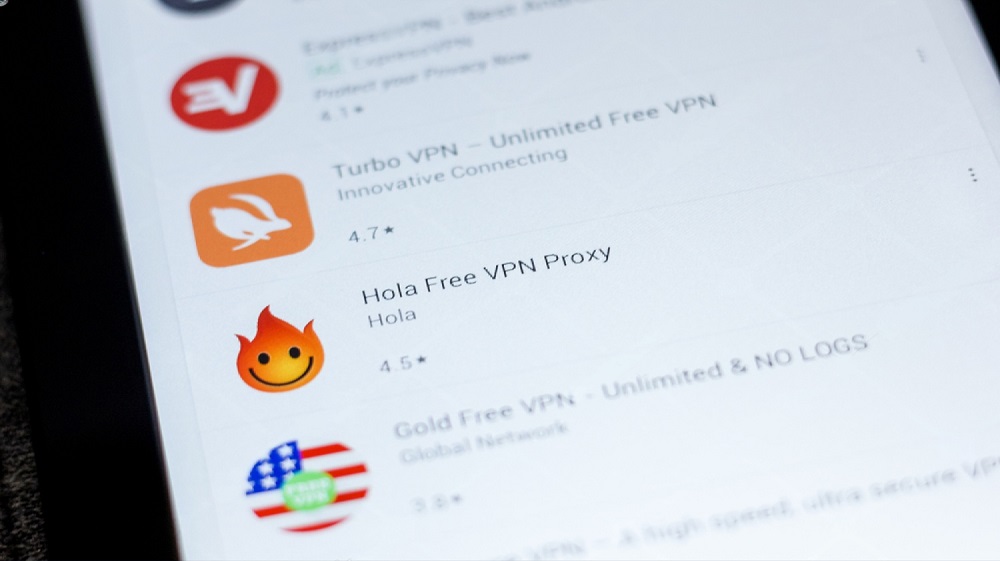
Don't compare only promotional price. ExpressVPN, NordVPN, Surfshark, CyberGhost and Private Internet Access have different networks, prices, policies and features. To choose wisely, look at:
- Initial and renewal price, commitment length and refund policy.
- How many simultaneous devices it allows and how easy it is to cancel.
- How its network is built, what logs it keeps, under which jurisdiction it operates and whether it has external audits.
- What security features it offers on your OS.
Real performance you only check from your own connection. Other users' reviews help when many point out billing or support issues, but they don't replace reading the terms.
Save truly on entertainment with CuentasGO
Using a VPN to shave a few cents off subscriptions is unreliable: today it works, tomorrow the platform blocks you. There is a much more sensible alternative: onCuentasGO you pay a fraction of the official price for premium access to Netflix, Disney+, HBO Max, Spotify, DAZN and dozens more, thanks to shared accounts among verified users.
Here's what you gain buying on the platform:
- Real savings: Prices well below direct subscription, without coupons or tricks.
- Verified accesses: Sellers with real ratings and offers reviewed by the community.
- Replacement guarantee: If something fails, they resolve access in minutes.
- 100% secure payments, no hidden fees.
- Delivery in minutes: You receive your profile or credentials and start the same day.
Seeall available subscriptions or visit thefilm category to find your favorite platform at the best price. More than 10,000 users already save every month: stop overpaying.
