
Cheap shared subscription to Plex
Plex is one of the most complete platforms to watch movies, series, live TV, documentaries and your own personal content, all in one place. It works like Netflix + your personal library + free TV, and best of all you can get a cheap shared Plex Pass account at CuentasGO.
What is Plex and why isn’t it just another streaming platform?
Let’s start by saying this platform is two things in one: First, it’s a personal media server that turns your collection of movies, series, music and photos into your own private Netflix. At the same time, it is a completely free streaming service with more than 600 live TV channels and tens of thousands of movies and series on demand.
Want to know the best part? You don’t need a credit card or a paid subscription to get started. Just download the app, install the server on your computer or NAS, and you’re in. Also, it’s not a closed service, not just rented content, not a black box of algorithms. It’s your library + its catalog, all in one unified interface, with profiles, parental controls and secure remote playback.
How to save on Plex: discounts, deals and regional differences
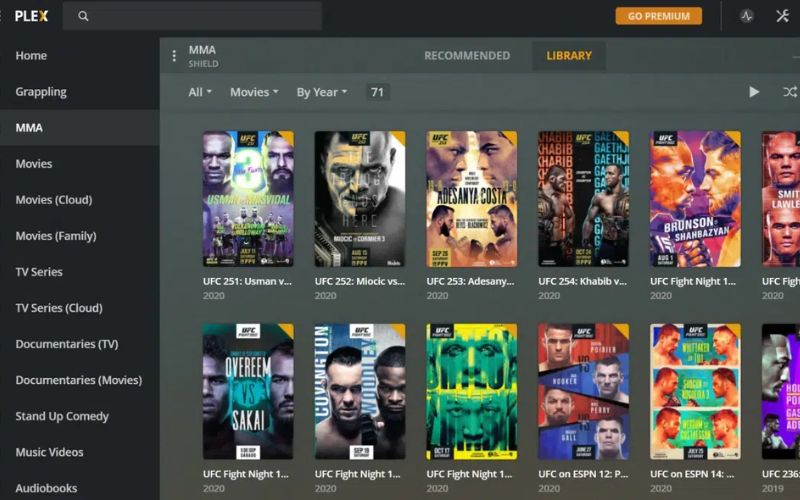
Plex stopped being just the media server for NAS enthusiasts a long time ago. Today it’s the app many use daily to organize their collection, watch live TV with an antenna or simply have Netflix, Disney+ and your own library in one place. The usual problem: the platform isn’t cheap if you pay month to month.
That said, very few people know there are legitimate —and some riskier— ways to pay considerably less. We’ll review all real ways to save, from Plex’s official options to those discussed on forums and deal sites, explaining what’s safe and what’s not.
Legitimate offers: codes, official campaigns and verified deals
This app rarely changes its monthly subscription price (around $4.99/month) or the annual price (about $39.99/year), but it does run periodic promotions on the lifetime Plex Pass, where the real savings are:
- Black Friday and Cyber Monday: historically when Plex offers its best discounts on the lifetime license, usually between 20% and 25% off.
- Occasional campaigns with promo codes: the brand has released several codes throughout the year like "FANFRIDAY", "POWERGEEK" or similar, redeemable at plex.tv checkout, which can leave the lifetime Plex Pass around $90–96 instead of the $119.99 list price.
- Student or new user discounts: appear intermittently and are usually announced on Plex’s official blog or social accounts.
The most reliable way to not miss any is to buy one of our shared subscriptions. Each of our providers is verified to offer you only reliable accounts without downtime.
VPN and regional pricing: what it is and why to be careful
As with many digital services, the price can vary slightly depending on the country from which it’s purchased, common in software and streaming due to differences in purchasing power. Because of this, a known practice (and often discussed in forums) is to use a VPN to subscribe from a region with lower prices.
Before considering this, note it’s not a “magic trick” nor free and you need a reliable paid VPN, such as ProtonVPN, with which real savings can be significant. Do not combine this with fake payment details: using a VPN to browse is one thing; falsifying an address or using someone else’s card to simulate residency in another country is a completely different matter, and that is fraud.
Why buy your Plex subscription at Cuentas GO
At Cuentas GO we sell Plex Pass licenses and subscriptions at reduced prices, but we understand you want to know exactly how the process works before buying. Here’s the step-by-step you should follow carefully:
- Activation: you will receive a code or the credentials needed to activate your Plex Pass following the same official process described above (plex.tv/link + code redemption). There are no extra steps or third-party software to install.
- Delivery times: delivery is digital and, barring occasional issues, is completed within minutes to a few hours after payment confirmation.
- Guarantee: if the code or account has an activation problem, we offer replacement or refund within the warranty period shown on the product page. We recommend always reading the specific conditions before buying.
- Payment methods: we accept the site’s usual gateways (card and other methods available at checkout), all with industry-standard encryption.
- Usage limits: each license is intended for a single user/device according to the product terms; simultaneous use beyond what’s specified is not guaranteed.
We only request the strictly necessary data to manage the order (contact email) and do not share that information with third parties unrelated to the purchase process. If you have questions before or after buying, our support is available to resolve activation or billing issues.
Everything you can do with Plex TV
Take a look at everything you get with an inexpensive account on this streaming service, which, by the way, competes head-to-head with platforms like Filmin or Prime Video.
- All your content, organized and available on any screen: automatically organize your media library with cover art, descriptions, trailers and subtitles, and play it from practically any device: Smart TV, mobile, tablet, computer, console, Chromecast or Fire TV.
- Free streaming with a wide variety of content: legally access hundreds of live channels and thousands of on-demand titles without paying, from news, sports and Latin American cinema to series, anime and documentaries for the whole family.
- Premium features for a fuller experience: enjoy advanced tools like downloads for offline viewing, offline sync, hardware transcoding and the ability to skip intros and credits, from $6.99/month or $69.99/year.
- A sharing-friendly experience: create watchlists, recommend content to friends and comment on what you’re watching within a global community that gathers over 25 million active users per month.
Whether to organize your own library, discover free content or enjoy more advanced features, this platform brings everything you need into a simple and accessible experience. You just choose what to watch, from where and with whom to share it.
What channels can you watch on Plex Premium?
If you’re thinking of subscribing to this streaming service, you should know you can opt for Plex Pass, which expands the platform’s features so you can enjoy a much fuller experience.
Keep in mind channel availability may vary by country. With that in mind, these are some types of channels you may find on the platform:
Category | Available content |
📰News | National and international news channels available 24/7. |
🎬Movies | Films of various genres and channels dedicated to cinema. |
📺Series and entertainment | Classic series, reality shows, game shows and entertainment programs. |
⚽Sports | Sports news, highlights, events and specialized channels. |
📚Documentaries | Science, nature, history, technology and culture. |
👨👩👧👦Kids | Cartoons, educational programming and family content. |
🎵Music | Music videos, concerts and themed music channels. |
🍳Lifestyle | Cooking, travel, home, DIY and wellness. |
What advantages does the premium Pass add?
Although many live channels are already available free in supported regions, the paid account adds premium features that improve how you enjoy them.
These include the ability to record TV broadcasts (DVR) with a compatible tuner, pause and resume live programs, perform hardware transcoding and access other advanced tools to manage your media library.
Plex free vs. Plex Pass: real differences
The free version of the platform is already quite good and many people stick with it. However, the paid version unlocks important features that make a difference.
Feature | Plex Free | Plex Pass (Paid) | Worth it? |
Ad-supported content | Yes (free movies and series) | No ads across content | High |
Live TV and DVR | Yes (free channels) | + DVR recording + more guides | High |
Offline downloads | No | Yes (mobiles and tablets) | High |
Video quality | Up to 1080p | Up to 4K HDR + tone mapping | Medium-High |
Hardware Acceleration | Limited | Full (fast transcoding) | Very High |
Music and Podcasts | Basic | Full Plexamp + lyrics, mixes, etc. | Medium |
Device sync | Basic | Advanced (automatic sync) | High |
Share with family | Up to 1 shared user | Unlimited users + parental controls | High |
Skip intro / credits | No | Yes (automatic) | Medium |
Remote access | Yes | Better performance and security | High |
Price | $0 | $4.99/mo or $119 lifetime (one-time) | - |
Buy your cheap Plex subscription at Cuentas GO
As you can see, this is a platform that grows with you. Free to start, premium if you want more, and always with the freedom to decide what you watch and where. Because entertainment shouldn’t have borders... or never-ending monthly bills.
But let’s be honest, the free version is fine to start, but the real potential is unlocked with the paid version. And that’s where the official price can hurt. The solution? Cuentas GO.
Here you don’t overpay for features that should be accessible; instead you get your premium subscription for a fraction of the official price, with the same full access to all advantages.
And all with personalized support, activation in minutes and no contracts or automatic renewals that catch you off guard. Because being a fan of great content shouldn’t cost an arm and a leg.
